 Notch
NotchFor iPhone · Coming soon
Catch a place.
Cut it out.
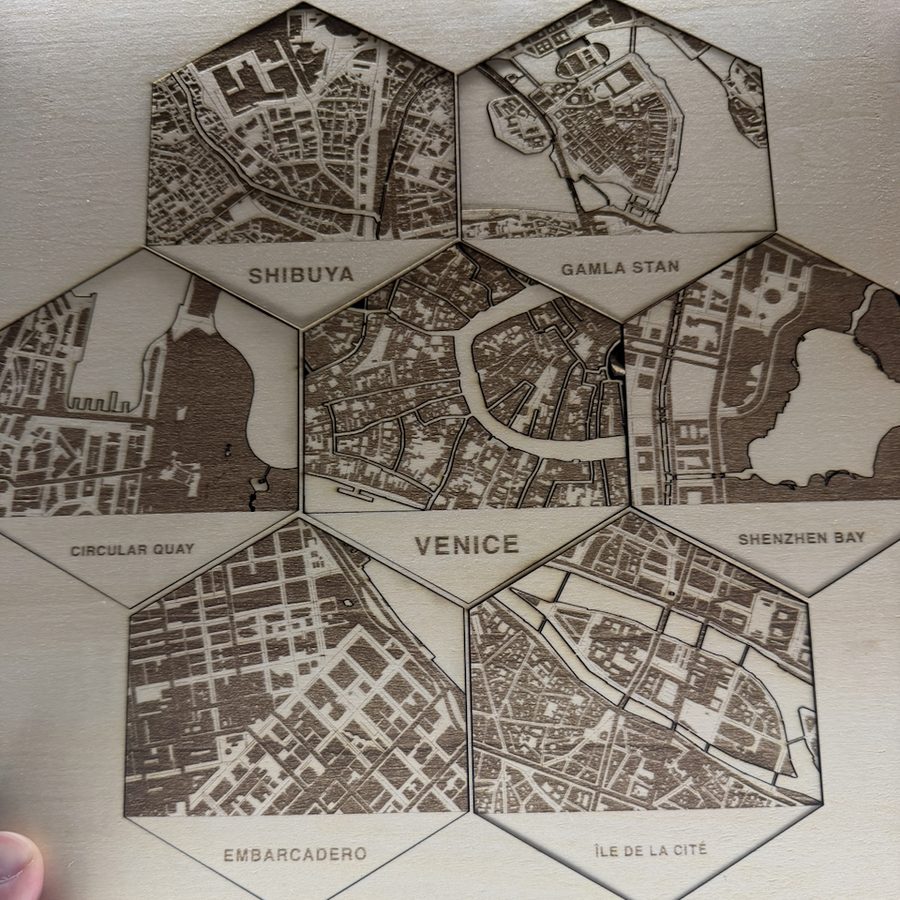
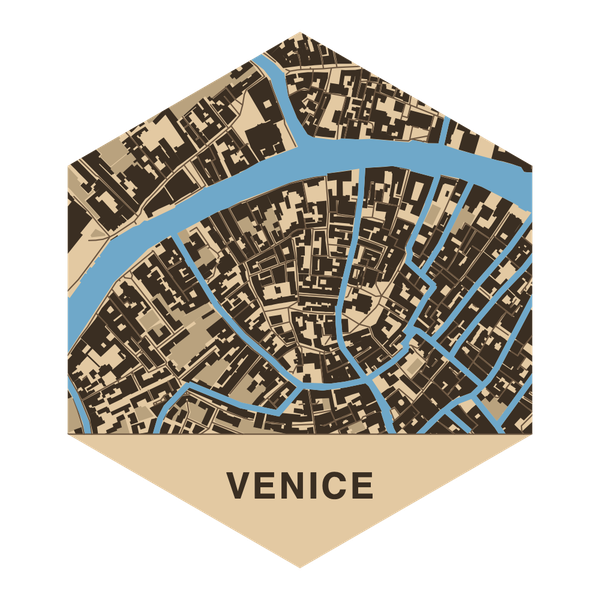
Notch turns the ground you are standing on into a four-inch wooden hexagon: the buildings, the streets, the water, and the name of the place along the bottom. Frame it on your phone, and it draws a file your laser engraver already understands.
How it works
Go somewhere. Notch it.
Notch only lets you cut ground you have actually stood on. That is what makes the collection worth keeping.
-
Stand somewhere
Open the map wherever you are. It reaches about five miles around you, enough slack for a wandering GPS, or for remembering an hour later over a beer.
-
Frame it
A few streets, or a mile across. Whatever sits inside the hexagon is what the laser gets. The band at the bottom carries the name, and you can change it.
-
Notch this place
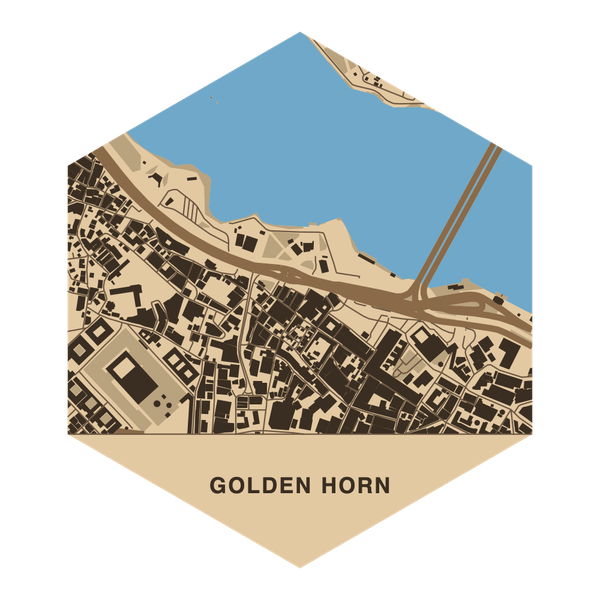
Out comes an SVG with one layer per laser operation, already coloured for xTool Creative Space. Every tile you make is kept in the app.
-
Cut it, hang it
Burn it on your laser, seat it in a 3D-printed tray, and hang it. Hexagons tile, so the wall grows as the collection does.
Featured work
Places, cut out.
Real tiles, straight off the laser bed, and the files they came from.
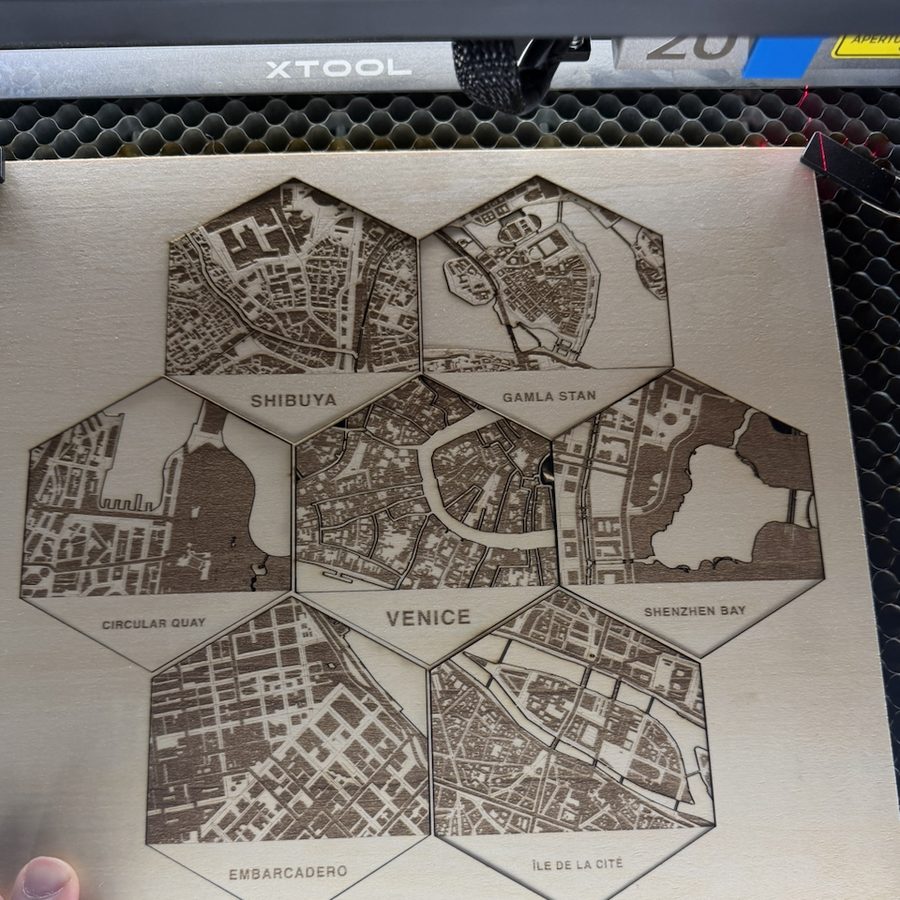
- Shibuya
- Gamla Stan
- Circular Quay
- Venice
- Shenzhen Bay
- Embarcadero
- Île de la Cité
- Golden Horn
The file
Ready for the machine.
One layer per operation, in the order the machine should run them. The colours are xTool Creative Space's presets, so each lands on its own layer. Set the speed and power per colour and send it.
- Engrave parks and green space
- Engrave major roads, as corridors
- Engrave buildings and the place name
- Score side streets and trails, as fine lines
- Cut water, clean through the tile
- Cut the hexagon outline, last
The holder
Print a tray. Seat the tile. Hang it.
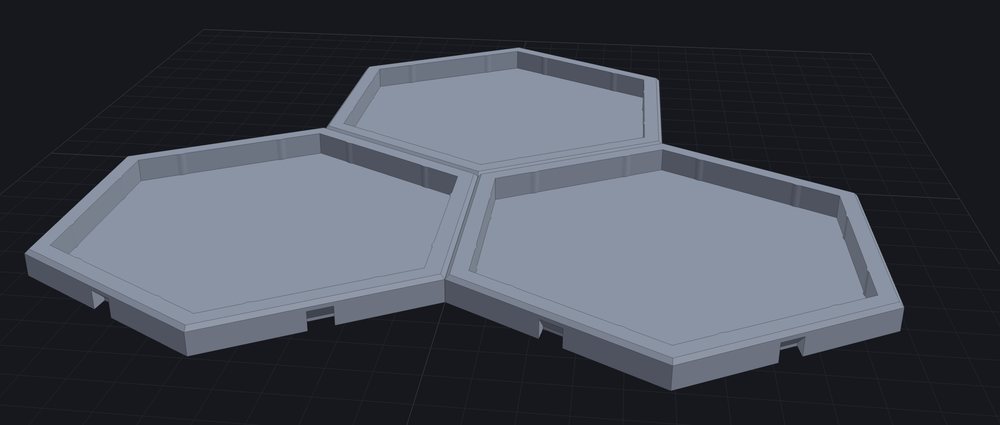
Print one tray per tile. They butt together into a honeycomb, and a hidden key in each joint keeps neighbours lined up, so there is no frame to build first.
The water is cut out of the tile, so the tray floor shows through it. Print the first three layers blue and switch to black at layer four. One filament change does the whole thing, with no AMS and no colour painting. There's also an open variant for backing a tile with acrylic, a photo, or nothing at all.
Get it
Your first ten are on us.
Your first ten notches are free. After that, a small one-time pack keeps you cutting. It's priced to cover the map data and the hosting, not to make a profit. No subscription, no ads, and no account required.
An iPhone
Running iOS 26 or later, with location on while you use the app.
A laser
Any engraver whose software opens SVG. The layer colours are set up for xTool Creative Space.
A 3D printer
Optional, for the trays. The tiles look just as good leaned on a shelf.
Need a bigger or more custom map? Laser Map Studio is the full tool, from the same workshop.